
Choose your Social workflow
A practical route from one reviewed draft to a repeatable content operation.
Choose the tool for the job
| Your goal | Start here | What to verify |
|---|---|---|
| Prepare one post | New Post | Exact accounts, final caption/media, action mode and result. |
| Plan a week | Calendar and Bulk Fill | Filters, timezone and each item’s draft or scheduled state. |
| Create related launch content | Campaigns | Campaign groups the work; destinations and timing still need explicit choices. |
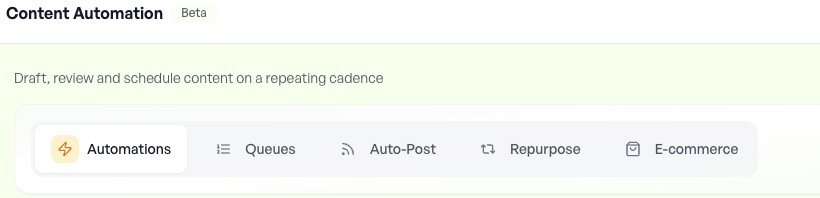
| Generate repeated drafts | Content Automations | Brief, trigger, review behavior and output destination. |
| Fill recurring publishing slots | Queues | Queue timezone, ready items, weekly slots, cooldowns and recycle gap. |
| Share new feed items | Auto-Post | Source preview, History, exact accounts and Auto-draft versus automatic publishing. |
| Repeat an evergreen post | Auto-Recycle | Per-post offsets, destination support and future Calendar items. |
| Review a teammate’s work | Approvals | Full content, media, account, time, role and final approval state. |
| Handle social responses | Social Inbox | Conversation context, responding account, sync and send result. |
| Measure and improve | Analytics and Reports | Metric coverage, comparable windows and report access. |
| Connect an assistant or script | Integrations | Current setup, read-only discovery, correct workspace and final operation state. |
Run a complete first cycle
- Scope: choose one workspace and intended account. Check connection health.
- Prepare: ground the draft in approved brand material, attach the intended media and inspect each preview.
- Review: check facts, accessibility text, links, destination settings and any approval hold.
- Choose timing: distinguish a planned draft, queue item and scheduled publication. Check the relevant timezone.
- Verify: inspect per-account final status and live link when available. Check existing outcomes before a retry.
- Learn: use comparable analytics to choose the next content experiment.
Scale after inspecting the output
Before adding a large batch, inspect one complete result through its final state. Changing a rule or pausing its source does not establish that already scheduled posts were cancelled. Review pending work separately. Feature availability and quotas belong to the current workspace and plan; check the offered controls before relying on a workflow.